Stop readjusting your seat every time you switch drivers in Michigan. Chevrolet Memory
Settings and Driver Personalization allow you to save your preferred driving position and
retrieve it with the push of a button. This system integrates the power driver seat, outside
mirrors, and steering column to create a consistent and comfortable environment. Whether you
share a vehicle with a spouse or simply have different preferences for city and highway
driving, the vehicle adapts to you instantly.
Memory Seat Controls
The core of the personalization system is the physical memory bank, typically located on the
driver's door panel or the side of the seat. The buttons are labeled "1," "2," "SET," and
"EXIT." These controls allow two distinct drivers to store their exact seat specifications,
including lumbar support, height, recline angle, and distance from the pedals.
Driver 1: Primary settings linked to the first key fob.
Driver 2: Secondary settings linked to the second key fob.
SET Button: Used to program the current positions into memory.
When you press your designated number button, the seat motors adjust automatically to
match your saved profile.
The memory system controls more than just the driver's seat. It adjusts the outside power
mirrors to ensure you have clear visibility the moment you start the vehicle. If your Chevrolet
is equipped with a power tilt and telescoping steering column, the system also saves the height
and reach of the steering wheel. This complete adjustment ensures that the mirrors, seat, and
wheel align perfectly with your physical requirements.
You can program the vehicle to create extra room when you enter or exit
the cabin. The Easy Exit feature automatically moves the driver's seat back and raises the
steering wheel when you turn off the ignition and open the door. This function prevents the
steering wheel from obstructing your movement, making it easier to slide in and out of the
vehicle.
How to Set Memory Positions
Programming your preferred settings is a simple process. You must be in the vehicle with
the
ignition on and the transmission in Park.
Adjust the driver's seat, outside mirrors, and power steering column to your desired
positions.
Press and release the SET button. A beep will sound.
Immediately press and hold the 1 or 2 button until two beeps sound.
Repeat this process for a second driver using the other number button. To set the exit
position, adjust the seat and wheel to allow maximum room, press SET, and
then press and
hold the EXIT button until the confirmation beeps sound.
Infotainment System Profiles
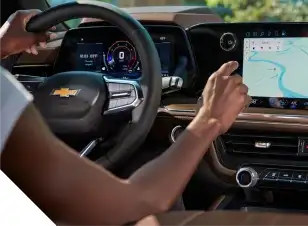
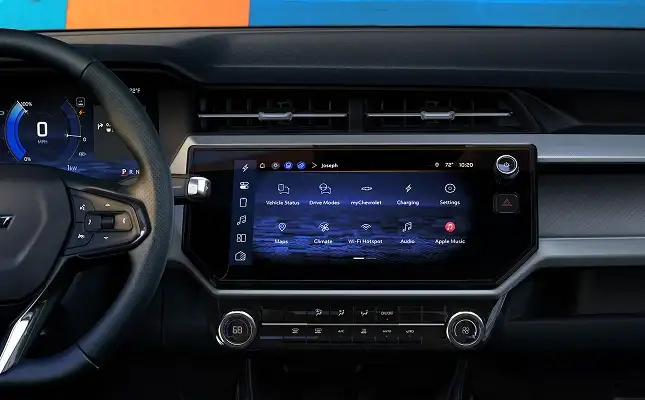
The personalization technology extends to the digital display. You can create a Driver
Profile on the Chevrolet Infotainment system that links to your specific key fob. When
you start the vehicle, the system identifies you and automatically loads your saved
preferences. This includes your favorite radio stations, recent navigation destinations,
and climate control settings.
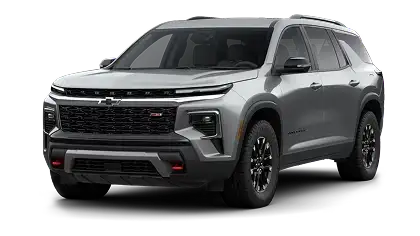
Memory Settings and Driver Personalization are typically standard on premium trim levels or
available through specific convenience packages. You can find these features on the following
models:
Adjust the seat, mirrors, and steering wheel to your liking. Press the SET button,
listen for a beep,
and then immediately press and hold button 1 or 2 until you hear two beeps.
Does the system save the side mirror positions?
Yes, the memory system saves the angle and tilt of both outside power mirrors along with
the seat position.
Does it save the steering wheel position?
If your vehicle is equipped with a power tilt and telescoping steering column, the
system saves its height
and reach settings.
What is the Easy Exit feature?
This function automatically moves the driver's seat back and raises the steering wheel
when you turn off the
ignition and open the door, creating more room to exit.
How do I recall my saved settings?
Press and hold button 1, 2, or EXIT until the seat and mirrors stop moving. If you
release the button early,
the movement will stop immediately.
Can I link the key fob to my memory settings?
Yes, you can link a specific key fob to Driver 1 or Driver 2 in the vehicle
personalization menu. This allows
the seat to adjust automatically when you unlock the door.
Why did my seat stop moving when I released the button?
This is a safety feature. You must hold the button until the recall is complete to
ensure no obstructions are
in the way. You can enable "Auto Memory Recall" in the settings to avoid holding the
button.
Can I turn off the Easy Exit feature?
Yes, you can disable the "Seat Easy Exit" option in the vehicle settings menu on the
infotainment screen.
What happens if I disconnect the battery?
Disconnecting the vehicle battery may erase the stored memory positions. You will need
to reprogram your
preferred settings once power is restored.
Visit our dealership to test the Memory Settings and Driver Personalization
features in person. You can adjust the power seats, mirrors, and steering column to find your
perfect driving position. Our team helps you identify which trim levels include these convenient
options so you can choose the right vehicle for your needs.